
TOP > コンピュータ > machii-little道場 > ネタ
道場TOP ネタ一覧 machii-little道場
Lenovo Yoga Slim 6 14IRP8: A thin-and-light laptop that offers a bit of everything, but only halfway
- ◇評価 0ポイント
- ◇閲覧回数 7回
- ◇登録日
- 2026年10月12日
-
- machii-little
- 道場主
Lv.31
The "IRP" suffix in the model number "14IRP8" stands for Intel Raptor Lake-P—specifically, the 13th Gen Core P-series. While many associate the "P" suffix with high performance, fitting it into a chassis that is just 1.35 kg and 15 mm thick makes the situation more complex.
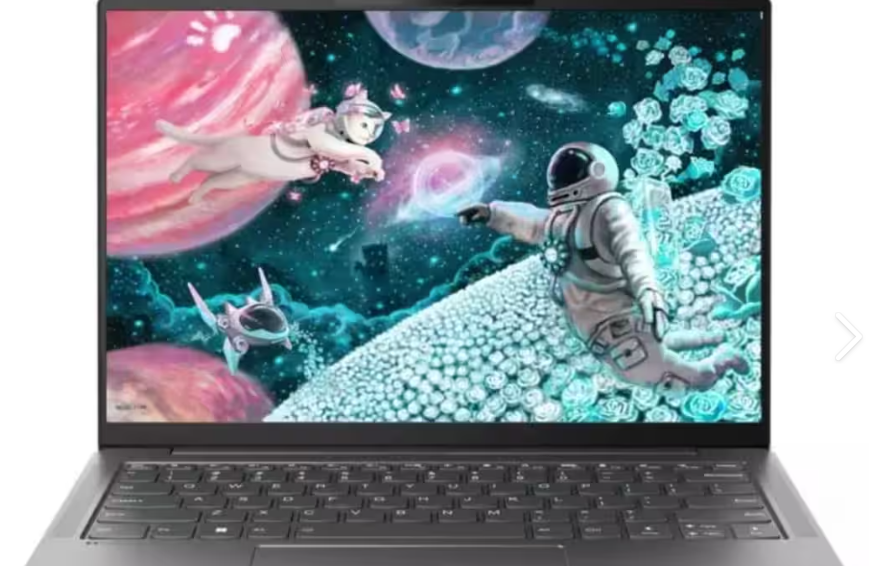
The Yoga Slim 6 14IRP8 comes in two processor configurations: the i5-1340P and the i7-1360P. Both feature 12 cores and 16 threads (4 Performance-cores and 8 Efficient-cores), with maximum clock speeds of 4.6 GHz for the i5 and 5.0 GHz for the i7. These specs look impressive on paper, but cramming the P-series' 28W base TDP into such a slim body means actual performance hinges on how Lenovo tunes the power limits.
It comes with 16GB of LPDDR5-5200 RAM soldered directly onto the motherboard; there are no expansion slots, so you are stuck with the initial 16GB for the life of the device. Storage-wise, there is an M.2 2280 slot that allows for user upgrades, but with only a single slot available, you cannot add a second drive. There is also no card reader, so SD cards are not supported.
Display: The OLED looks great, but reflections are a major issue
The 14-inch, 16:10 display is the laptop's standout feature. There are a few configuration options: the high-end model sports a 2.8K (2880×1880) IPS panel with a 120Hz refresh rate, 400 nits of brightness, 100% sRGB coverage, and Dolby Vision support. The lower-end model features a WUXGA (1920×1200) OLED panel with a 60Hz refresh rate and 400 nits of brightness, but offers 100% DCI-P3 color gamut coverage and supports DisplayHDR True Black 500. The OLED display offers a fantastic visual experience, featuring pure blacks and high contrast that make watching videos and editing photos a pleasure. However, there is a major annoyance: the glossy screen surface causes significant reflections. Notebookcheck even listed this as a drawback in their review, noting that the device is nearly unusable in bright lighting. While a peak brightness of 400 nits isn't low, the reflections negate much of that benefit; using it outdoors or near a window requires cranking the brightness to the max, which leads to eye strain.
Although the IPS version lacks the contrast of the OLED model, its 120Hz refresh rate offers much smoother scrolling and window animations compared to the standard 60Hz. The choice depends on your priorities: go for OLED if you value color and contrast, or choose the high-refresh-rate IPS version if you prefer smoothness and better reflection handling.
Ports: Adequate, but the layout may annoy right-handers
Left side: USB-C 3.2 Gen 1 (supports charging while powered off), HDMI 1.4b, and a 3.5mm headphone jack. Right side: Two Thunderbolt 4 ports and the power button.
The dual Thunderbolt 4 ports are a standout feature, handling external displays, high-speed data transfer, and charging all via USB-C, while supporting external output up to 7680×4320 at 60Hz. Although the HDMI port is limited to the 1.4b standard, it still supports 4096×2160 at 60Hz—sufficient for connecting a 4K monitor.
The layout is the real issue. Both Thunderbolt 4 ports and the power button are located on the right side. If you are right-handed and use a mouse, the charging cable will likely snake right across the area where you operate the mouse. Furthermore, the two USB-C ports on the right are positioned very close together, making it a tight fit if you try to plug in two cables with thicker connectors simultaneously.
There is another detail regarding the right side: the absence of a USB-A port. This means that for any legacy USB drives, mouse receivers, or wired keyboards you own, you will either need to replace the cables or purchase a docking station. While omitting the USB-A port isn't unusual for thin-and-light laptops in 2023, it certainly makes daily use less convenient. Thermals and Battery Life: Quiet, but Don't Expect Speed
Notebookcheck tested the AMD version (Ryzen 5 7540U) and concluded that it runs cool and quiet. The Intel version shares a similar thermal design—featuring a single fan and a single heat pipe—so it remains quiet during everyday office tasks and video playback, with exhaust temperatures staying low.
However, the trade-off is conservative performance. Under sustained loads, the i7-1360P throttles down to very low power consumption; while it is snappy when launching apps or browsing the web, it quickly loses steam if you try to edit a longer video or run a heavy compilation task. This is not a machine built for heavy workloads.
Battery options include 60Wh and 65Wh versions. Official ratings for the LCD model claim up to 18 hours of local video playback and up to 12.1 hours in MobileMark 2018 tests. In real-world use—standard office work involving multiple browser tabs, Microsoft Office, and occasional video watching—it lasts about 6 to 8 hours, which is a solid, average performance. It supports 65W USB-C charging, providing about 3 hours of usage from a 15-minute charge—sufficient for a quick top-up.
Keyboard and Touchpad: Nothing Spectacular, but Solid
The keyboard is backlit, and the key travel is above average for a thin-and-light laptop; the typing feel is soft but firm, avoiding a mushy sensation. The touchpad is spacious with a glass surface, offering a decent gliding experience. It features a 1080p webcam with a physical privacy shutter and an IR sensor for Windows Hello facial recognition—a definite plus at this price point.
The dual 2W speakers support Dolby Atmos. They are adequate for podcasts and video calls, but don't expect much for music, as the bass is virtually non-existent.
What Users Are Actually Complaining About
After reviewing user feedback from both domestic and international sources, the complaints center on a few key points:
Screen glare. This is the most frequently cited issue. The OLED version suffers particularly badly from this; users report that sitting by a window in a café makes the screen content almost impossible to see.
Soldered-in RAM. 16GB is sufficient for 2023, but it might feel tight by 2026. Running a stack of Chrome tabs alongside a virtual machine or a heavy-duty IDE puts significant strain on memory. Since there is no room for upgrades, you need to be certain about your needs before buying.
Conservative performance tuning. Users compiling code have noticed a sharp drop in speed under sustained loads. This isn't an isolated incident; it is a physical limitation of cramming a P-series processor into a 15mm-thick chassis.
All ports are on the right side. It might seem like a minor detail, but it becomes an annoyance in daily use.
Is it worth buying?
Right now (in 2026), this machine is essentially in the clearance phase; some models are already marked "Withdrawn" on Lenovo's official website. Second-hand and third-party market prices hover around 3,000 to 4,000 RMB, depending on the configuration.
If you need a thin-and-light laptop with a great screen, portability, adequate ports, and enough power for daily office work, media consumption, and occasional photo editing, it’s a solid buy at this price point. The visual quality of the OLED screen is hard to beat in this category.
However, if you need to run virtual machines, edit video, perform data science tasks, or want the option to upgrade your RAM later—don't buy it. The soldered 16GB of RAM and conservative performance tuning will leave you regretting the purchase within six months.
Simply put, this machine is for people who know exactly what they want. It is a stylish, quiet, and capable machine for general use, not a workhorse for heavy-duty tasks. Lenovo made a clear trade-off here: prioritizing the screen and chassis design at the expense of performance and expandability. Whether that trade-off makes sense depends on the type of user you are.
Laptop battery L22M4PF1 For Lenovo Yoga Slim 6-14IRP8 6-14IRH8 7-14IMH9
|
|
【キーワード】
登録されていません
|

|
  |
ブログ? そんなの必要ありません! 今日から、いきなりアフィリエイトスタート!
【まにあ道アフィリエイト】まにあ道ならAmazonアソシエイトIDを利用してネタを書くだけで、お気軽に始めていただけます。


-

-
 Lenovo Yoga Slim 6 14IRP8: A thin-and-light laptop that offers a bit of everything, but only halfway(0)
machii-little
(道場主)
Lenovo Yoga Slim 6 14IRP8: A thin-and-light laptop that offers a bit of everything, but only halfway(0)
machii-little
(道場主)





 シュリのおすすめネタ
 この道場の人気ネタ
-
On the ASUS ROG Phone 3: A "Gaming Pho... -
Cell phone battery BA56 VIVO VIVO Y300... -
The Nokia Lumia 920: A "Brick" You Can... -
Tablet battery BLT008 OPPO inch Tablet... -
Replacement battery Lithium-ion batter...
このネタをソーシャルブックマークに登録する
 まにあ道の人気ネタ
-
altissima qualità Batteria per AS... -
【亀の病気】甲羅の「シェルロット」の薬と治療方法 まとめ【2020年版】 -
New Battery Tablet PC Batteries FUJITS... -
第544話 “地獄の釜の蓋もあく”黒ひげが起こす最高のショーとは?シリュウ黒... -
On the ASUS ROG Phone 3: A "Gaming Pho...
コメントはまだありません。